For software agencies
“The client found another bug.”Show them what you tested first.
You build web, Android and iOS apps for clients. qarunbook gives every app a runbook your team works through on each platform, keeps each issue on the check that found it, sends fixes back for a retest, and turns it all into a report the client can open.
Flat price per workspace, never per seat. Free plan, no card.
Each client app keeps its own sections, checks and platforms.
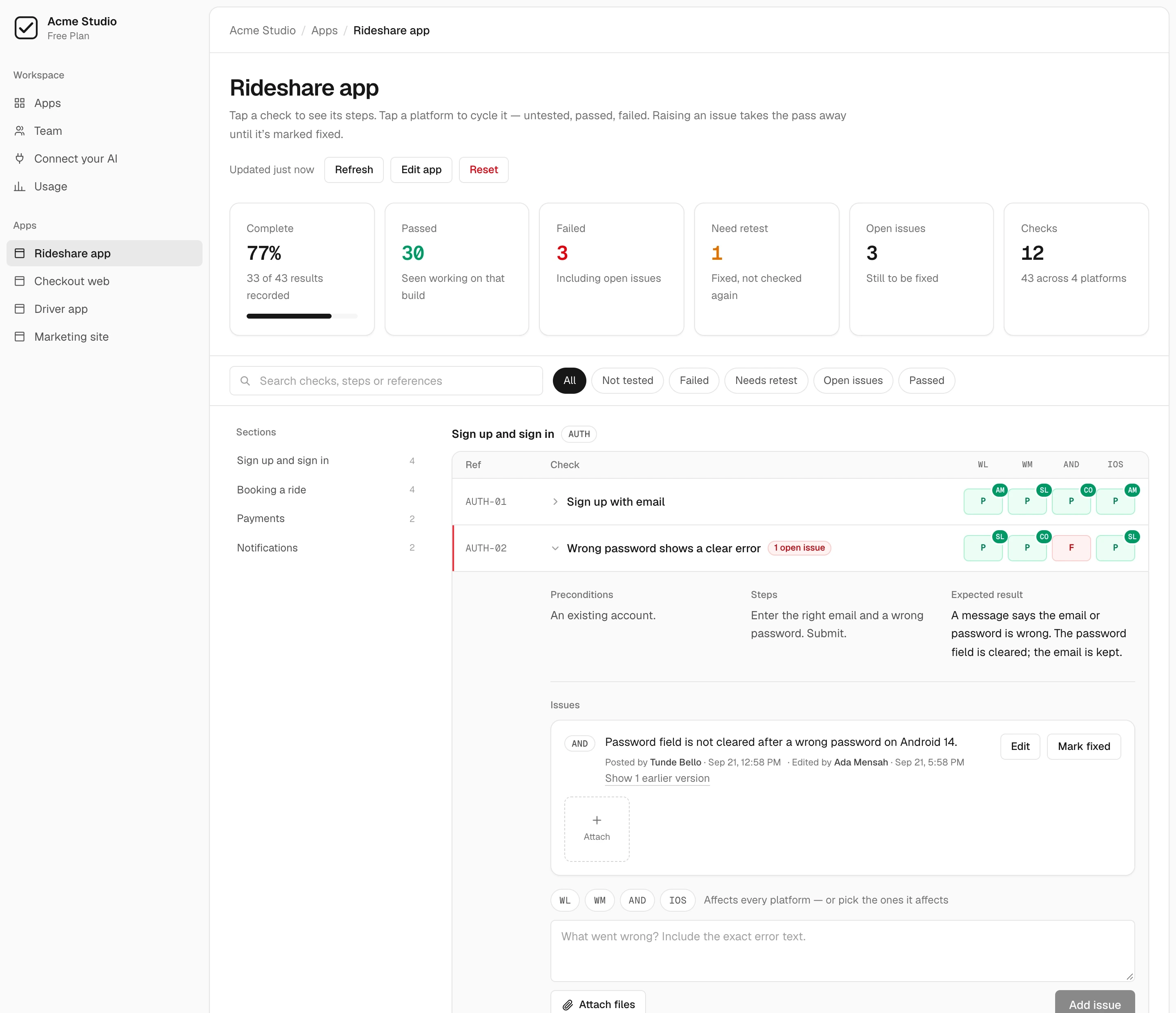
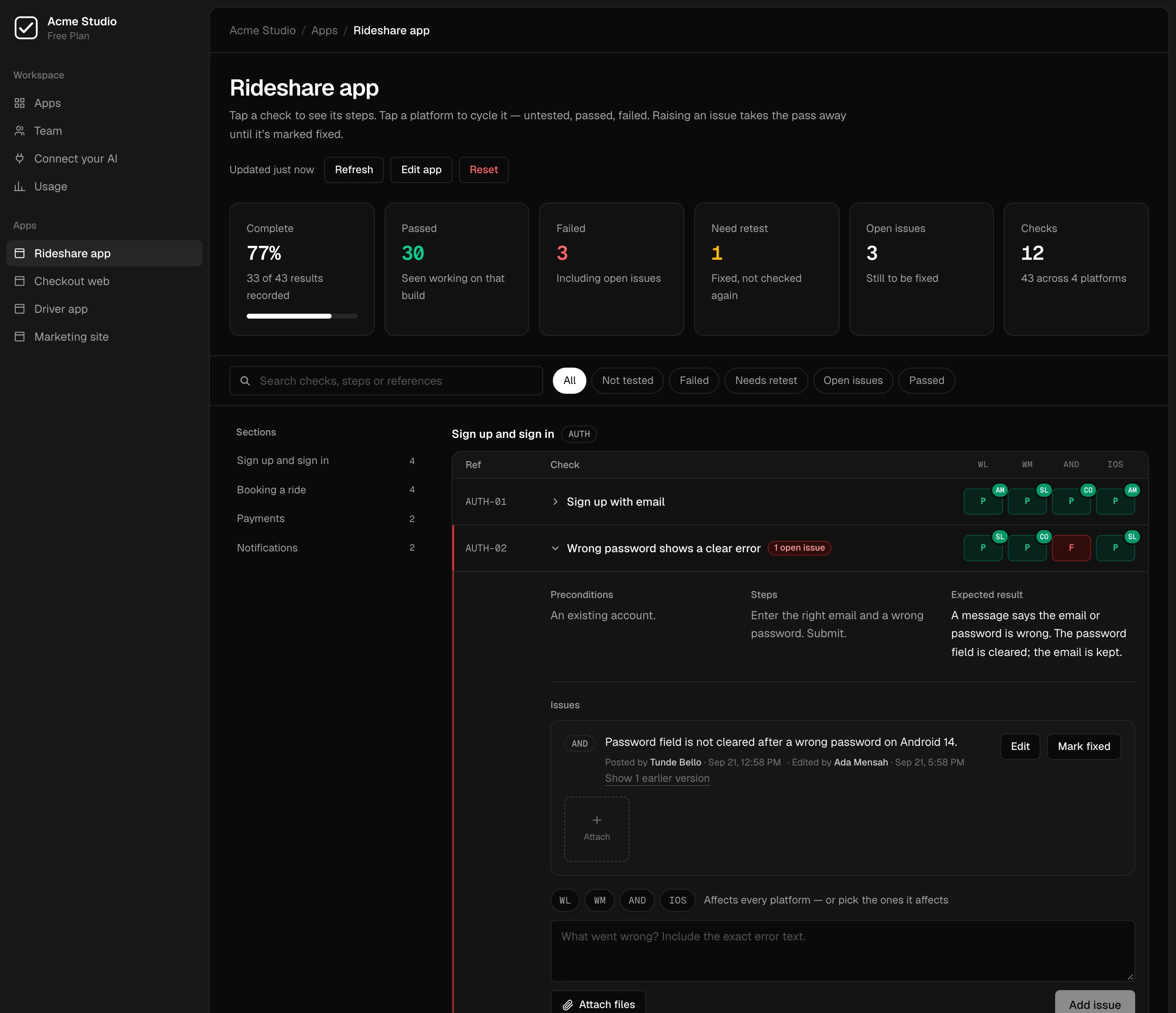
Passed, failed or untested on each platform the app ships to.
A fixed issue reads as “retest” until someone checks it again.
A link the client opens without signing in, plus PDF, Excel and CSV.
One runbook per client app.Every platform, every check.
A client who finds a bug you missed stops trusting the rest of the release. Usually it was never tested on that platform, or it was fixed and nobody looked again.
qarunbook makes both of those visible before the client sees the build.
Write the plan once per app
Sections and checks with steps and an expected result, on the platforms that app ships to. Import a plan you already have, write it by hand, or let your AI draft it from the code.
Test it on every platform
Your testers mark each check passed or failed on web, Android and iOS. Every result records who recorded it and when, so “did anyone try this on Android?” has an answer.
Keep the problems attached
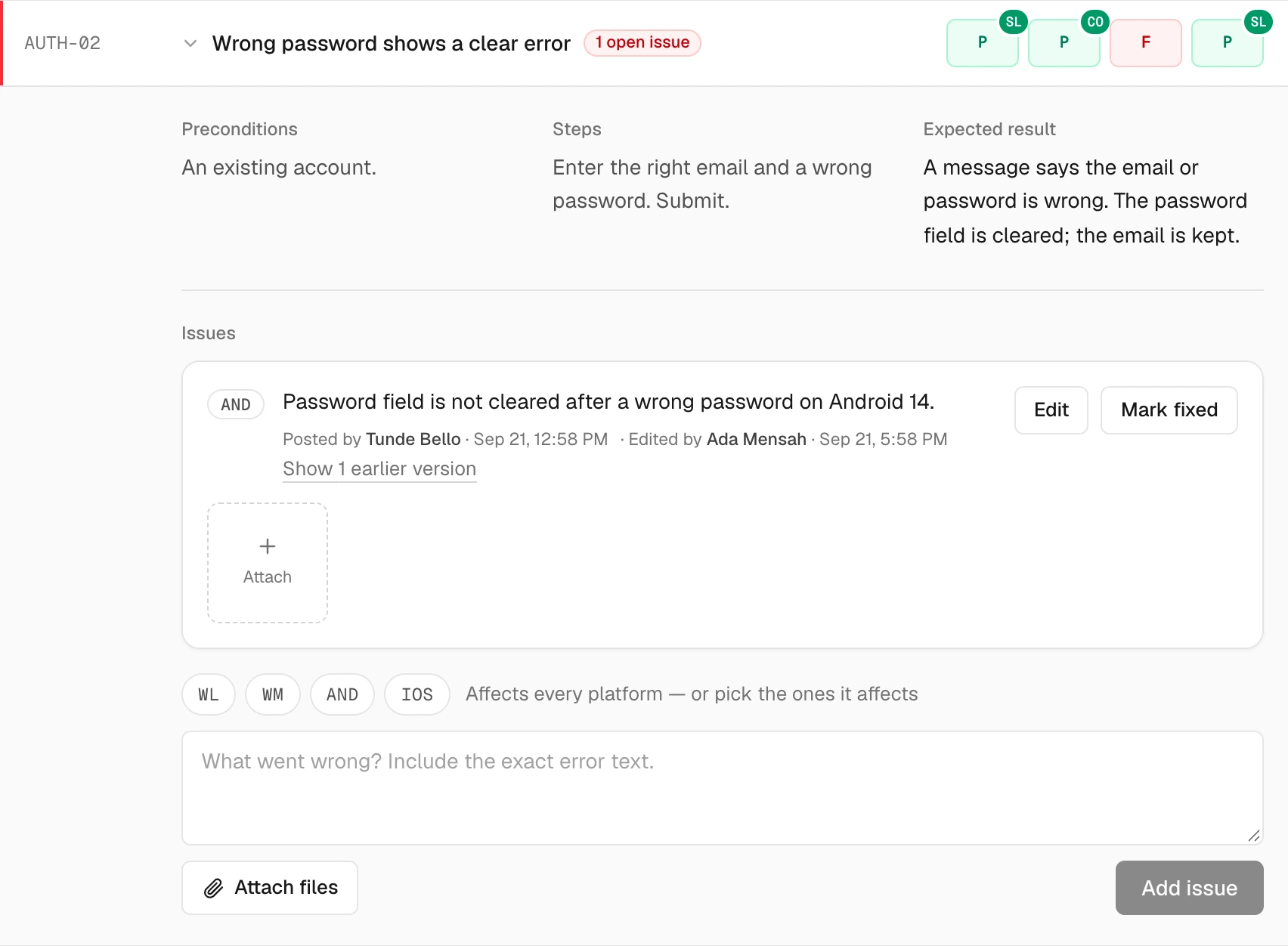
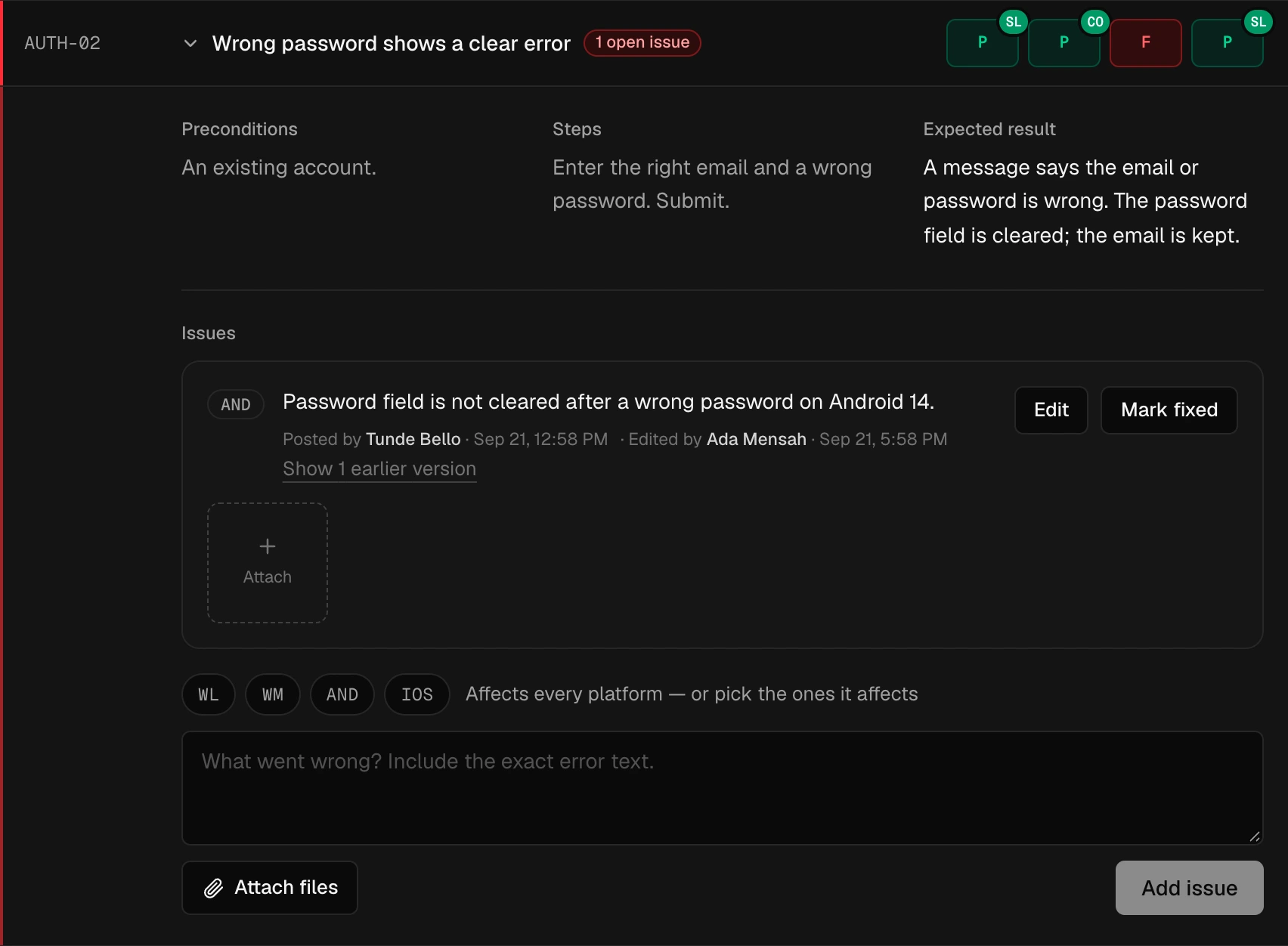
An issue is raised on the check that found it, for the platforms it affects, with screenshots and screen recordings. While it is open, the check reads as failed.
Fixed is not the sameas checked again.
When a developer marks an issue fixed, the check doesn't quietly turn green. It waits as a retest on the platforms the issue affected, until a tester records a result on the new build.
- FTester raises an issue on AndroidThe pass is taken away while the issue is open.
- RDeveloper marks it fixedNot a pass. It waits for someone to look again.
- PTester checks the new buildA result recorded after the fix clears the retest.
Issues stay with their checks
Each issue sits on the check that found it, with the platforms it affects, its screenshots and recordings, and a history of every edit. Raising one takes the pass away; nobody has to remember to.
Send the client proof,not reassurance.
Each app has a report: progress on every platform, results by section, what's still open, what was fixed, and who tested what. Share it as a link, or download it.
A link, no account
Anyone with the link reads the report without signing in. Pick 30 days, 7 days or no expiry, and revoke it whenever you like — it stops working at once.
Nothing they can change
The shared report shows the numbers, the sections, the issue text and who tested what. Attached files stay behind sign-in.
PDF, Excel and CSV
Download it for a status email or a sign-off meeting. Every format is drawn from the same numbers as the runbook, so they never disagree.
Always current
A link shows the report as it stands when it is opened, not as it was when you made it.
Let the client into their project only.
Roles are per app. Invite a client as a viewer on their app and it's the only one they see — not your other clients, not your internal work.
Your developer can be an admin on one project and a tester on another, and a join link brings a whole group in at once.
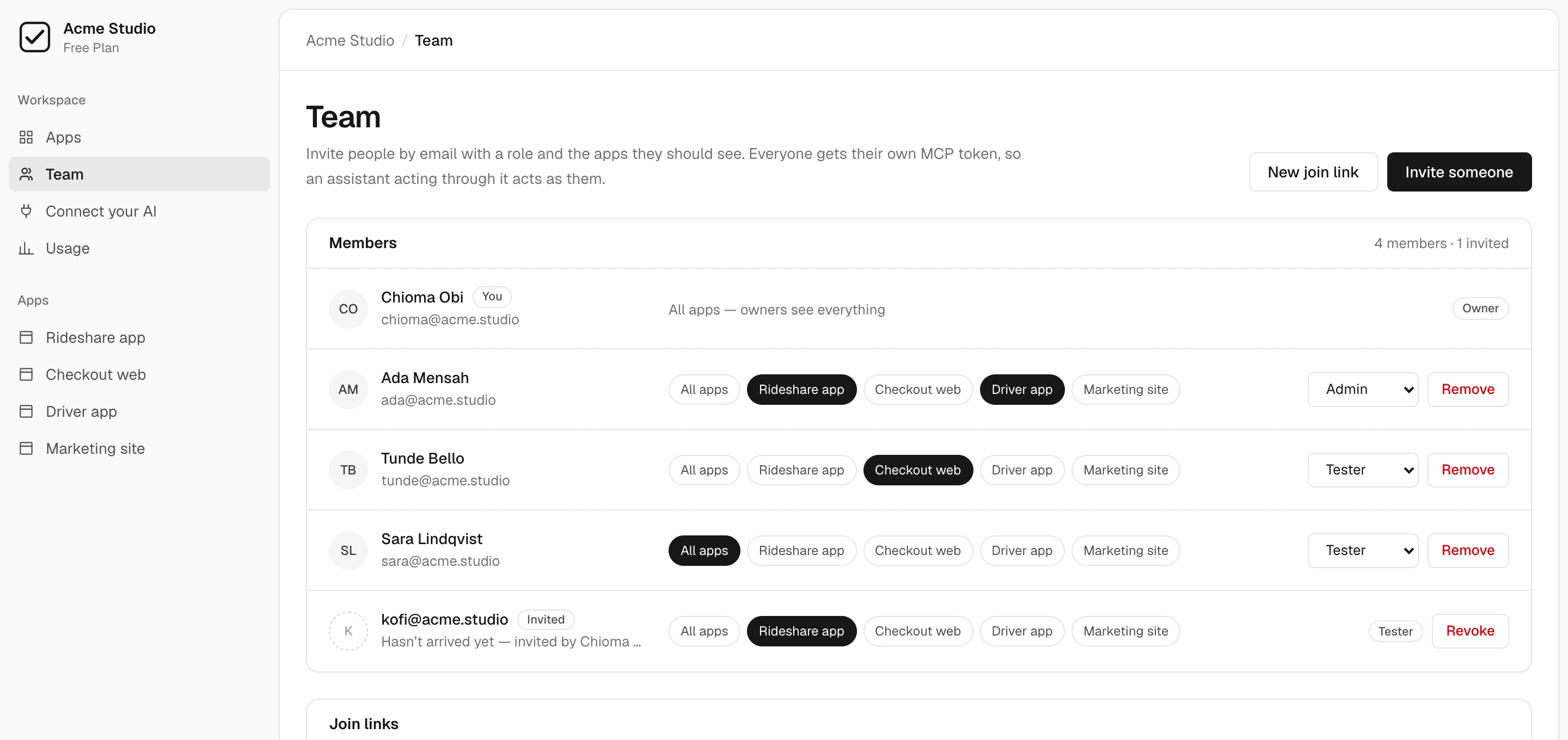
- Viewer
- Reads everything they were given — results, issues, files, reports — and changes none of it. Right for a client, a PM or an auditor.
- Tester
- Records results and raises issues. The person doing the testing.
- Admin
- All of that, plus editing the plan, importing, resolving issues and inviting people.
- Owner
- All of that, plus billing, removing admins and deleting the workspace.
Flat price per workspace.Never per seat.
One workspace holds every client app. Add your team and your clients up to the plan's member limit without the bill changing.
The full breakdown and its FAQ are on the pricing page.
For one person or a small team trying qarunbook on a real release.
- 2 apps
- Up to 5 members
- 2 GB of screenshots and recordings
- MCP connection and both AI skills
- Roles, join links and the retest flow
For a team testing several apps every release.
- 15 apps
- Up to 15 members
- 50 GB of screenshots and recordings
- MCP connection and both AI skills
- Roles, join links and the retest flow
- API access
For QA across a whole portfolio of apps and clients.
- Unlimited apps
- Up to 50 members
- 250 GB of screenshots and recordings
- MCP connection and both AI skills
- Roles, join links and the retest flow
- API access
Unlimited everything, invoiced, with terms that suit your procurement.
- Unlimited apps and members
- Unlimited storage
- MCP connection and both AI skills
- Invoiced billing
- Talk to us at hello@qarunbook.com
- API access
Prices in USD, before tax. Tax is added only where we’re registered to collect it. Cancel anytime.
Clients you invite as viewers count as members. A shared report link needs no account and counts for nothing. See pricing for every limit.
Questions,answered.
Anything else, write to hello@qarunbook.com. Using AI to build client apps? See AI software testing.
Can a client see only their own app?
Does the client need an account to see the report?
What is in the report?
What happens when a developer fixes something?
Do you charge per seat?
Does qarunbook run the tests?
Find the bug before your client does.Then show them you checked.
Create a workspace, add a client app, and invite the people who test it.
Free plan available — no card required.
Works with your AI and every platform you ship to