AI software testing
Your AI writes the code.Testing is now the slow part.
qarunbook lets the same assistant draft the test plan from your code, read what's failing, record results and resolve what it fixes — while a person still confirms every fix before it counts as a pass.
The MCP connection and both skills are on every plan, including Free.
/test-checklist reads your app's code and drafts the runbook, checks and all.
Over MCP, for Claude Code, Claude Desktop, Cursor, Codex, or any MCP client.
Each person connects with their own token and their own role on each app.
A fixed issue waits as a retest until someone checks it again.
Code got faster.Checking it didn't.
AI coding moved the bottleneck. The hard part of a release is no longer writing the change; it's knowing the change works on every platform you ship to.
More changes, same testers
An assistant can turn a request into a working branch in an afternoon. The people who check it didn't get faster, so the queue in front of them grew.
Nobody wrote the plan
The code arrived before anyone decided what should be tested. Without a list, testing is whatever someone remembers to try.
The AI grades its own work
Left alone, an assistant will fix a bug, call it done and report the release clean. Nobody on a real device has seen the fix.
Let the AI draft the plan.From the code it just wrote.
Run /test-checklist in your repo. It reads the app's code, works out every module, feature and user journey worth testing, and creates the app in your runbook with the checks already in it.
Then it's an ordinary plan: edit the wording, add your own checks, choose the platforms, or mark a check not applicable where it doesn't belong.
Read 214 files. Found 9 modules and 31 journeys. Created Shop app with 3 platforms and 64 checks.
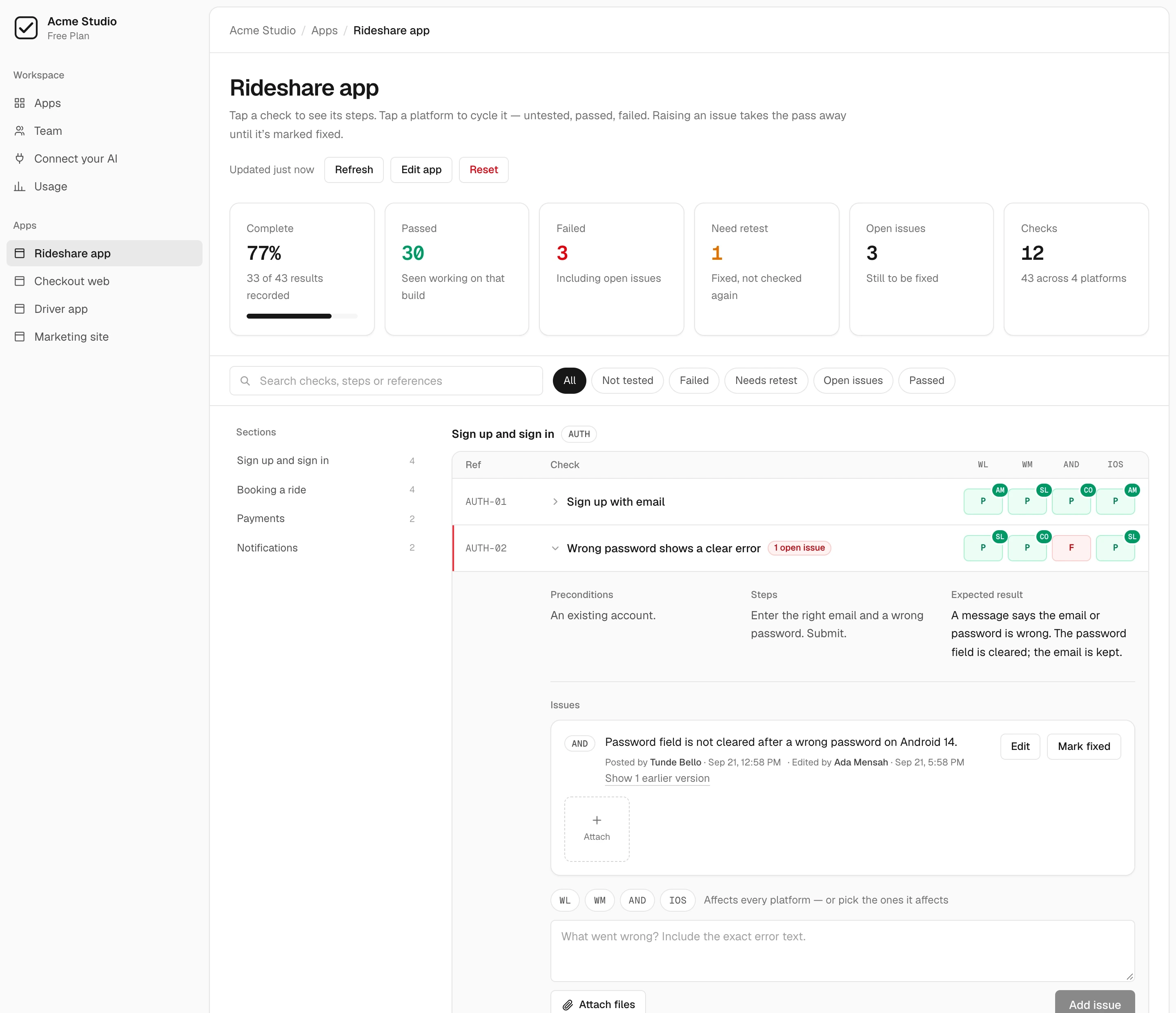
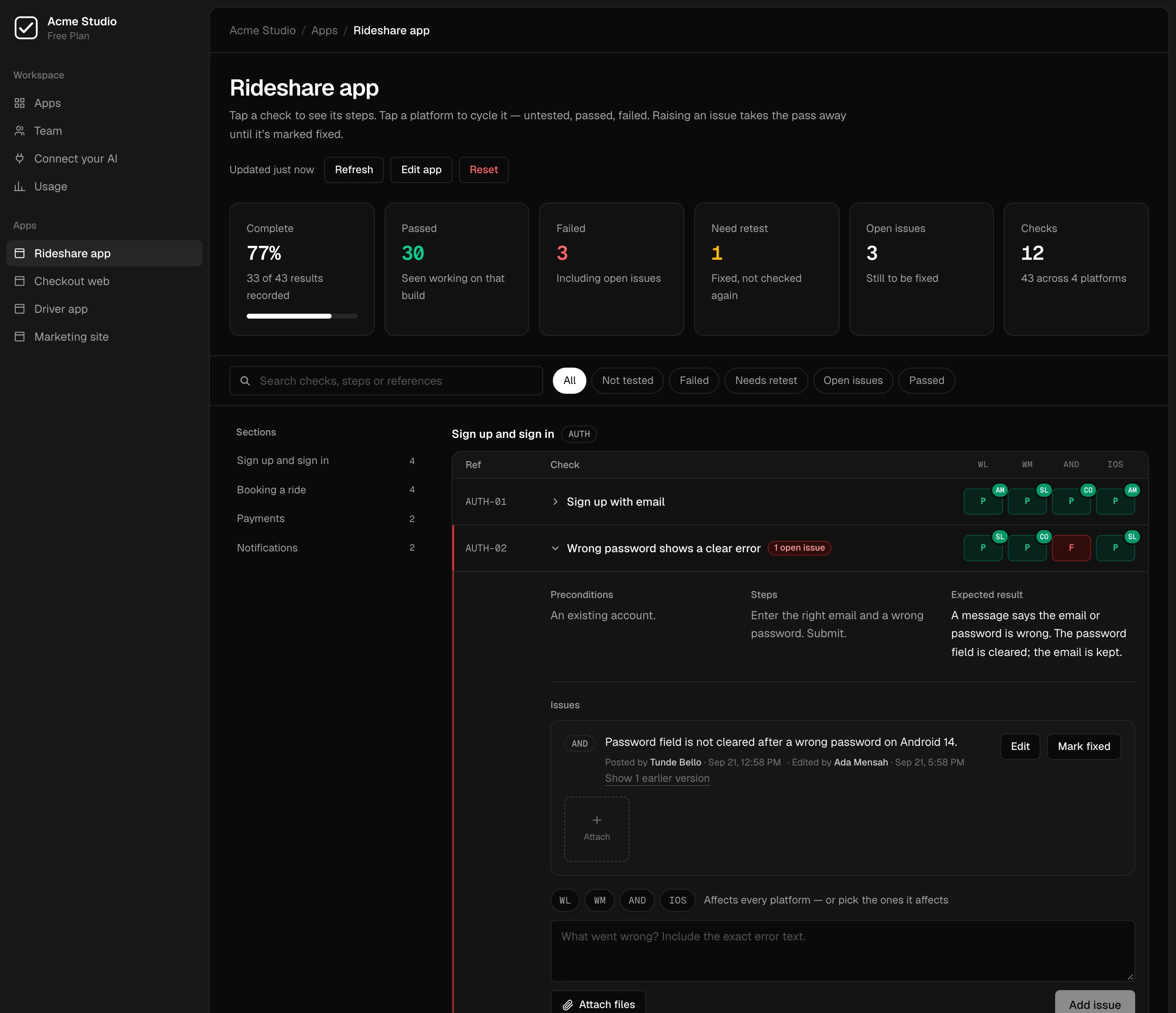
The same runbook your testers work through: checks by section, a result for each platform, and progress you can read at a glance.
Connect your AIto the runbook, over MCP.
14 tools let Claude Code, Claude Desktop, Cursor, Codex or any MCP client list failing checks, record results, and raise, edit and resolve issues.
Everyone connects with their own token, so the assistant can do exactly what that person can on each app, and no more.
claude mcp add qa-runbook --transport http https://qarunbook.com/api/mcp \
  --header "Authorization: Bearer <your token>"
claude plugin marketplace add Ifeanyiejindu/qarunbook
claude plugin install qarunbook@qarunbook
Your token is under Connect your AI once you have a workspace, with the lines for Claude Desktop, Cursor and Codex beside it. More in the MCP server guide.
list_appsList appsany roleprogressCoverage summaryany rolelist_issuesList issuesany rolelist_checksList checksany roleget_checkGet one checkany role
create_appCreate an appadminimport_planImport a test planadminadd_sectionAdd a sectionadminadd_checkAdd a checkadminadd_issueRaise an issuetester
resolve_issueMark an issue fixedadminedit_issueEdit an issuetesterset_resultRecord a resulttesterupdate_checkCorrect a checkadmin
Then let it helpwith the testing itself.
/qa-runbook is the second skill. It works through the plan and writes back what it finds, so the results sit beside your testers' in the same runbook.
Establishes what is under test
Works out which app and which platforms it is testing before it records anything.
Drives web and mobile
Works through the checks on the platforms the app ships to, with an account you give it or a test account it creates.
Records each result with evidence
Pass or fail per platform, only for what it actually saw, and an issue on the check when something breaks.
Verifies fixes
Goes back to the checks waiting on a retest and records what it finds on the new build.
A fix is not a passuntil someone checks again.
When an issue is resolved, over MCP or on the web, the check doesn't go back to passing. It reads as retest on the platforms the issue affected, because the last result was recorded on a build without the fix.
The retest clears only when a new result is recorded after the fix. Every result keeps who recorded it and when.
- FA tester raises an issueOpen issue: the check reads as failed on the platforms it affects.
- RThe AI fixes it and resolves the issueRetest. The old pass was recorded on a build without the fix.
- PA person checks the new buildA result recorded after the fix clears the retest.
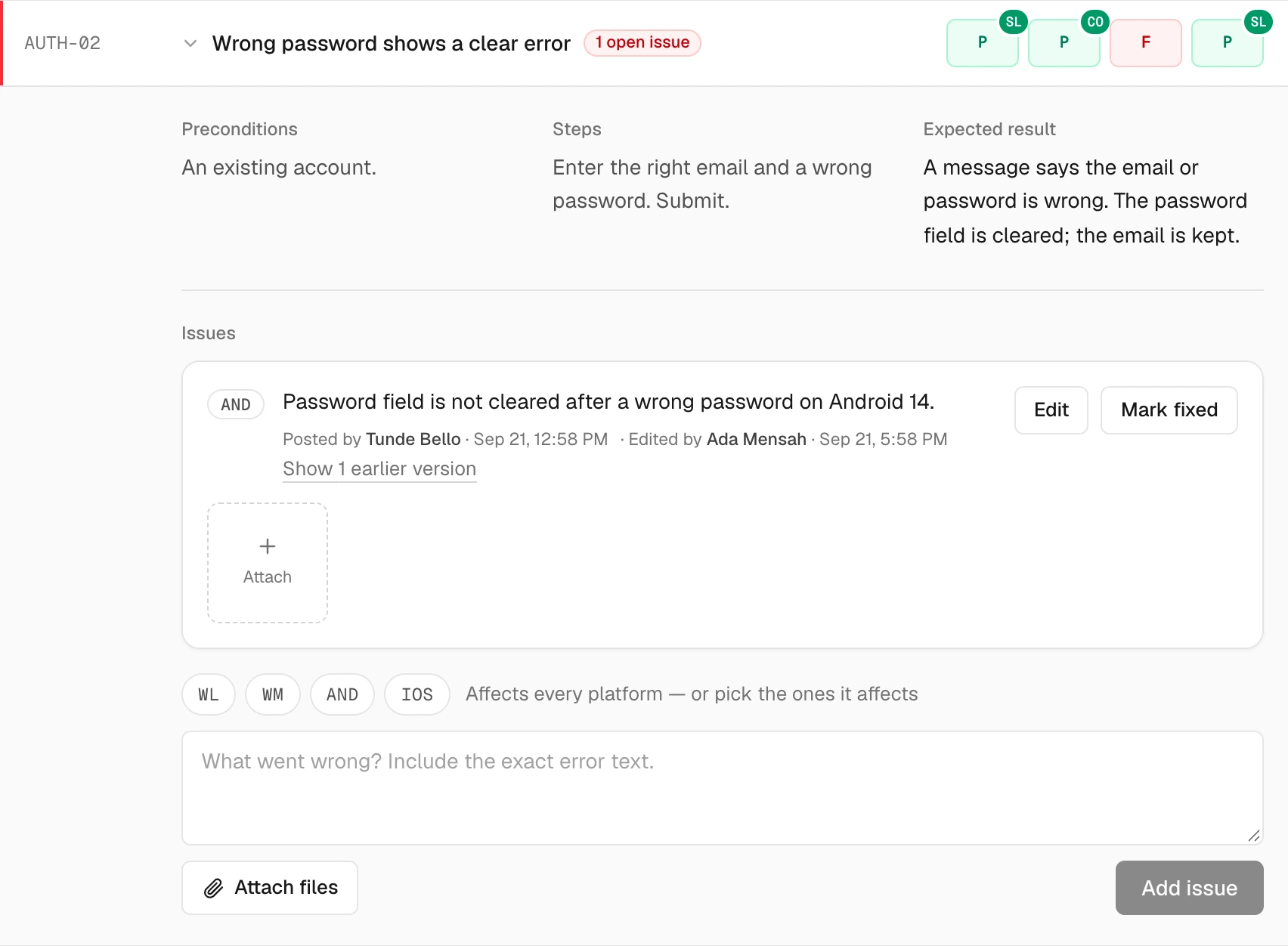
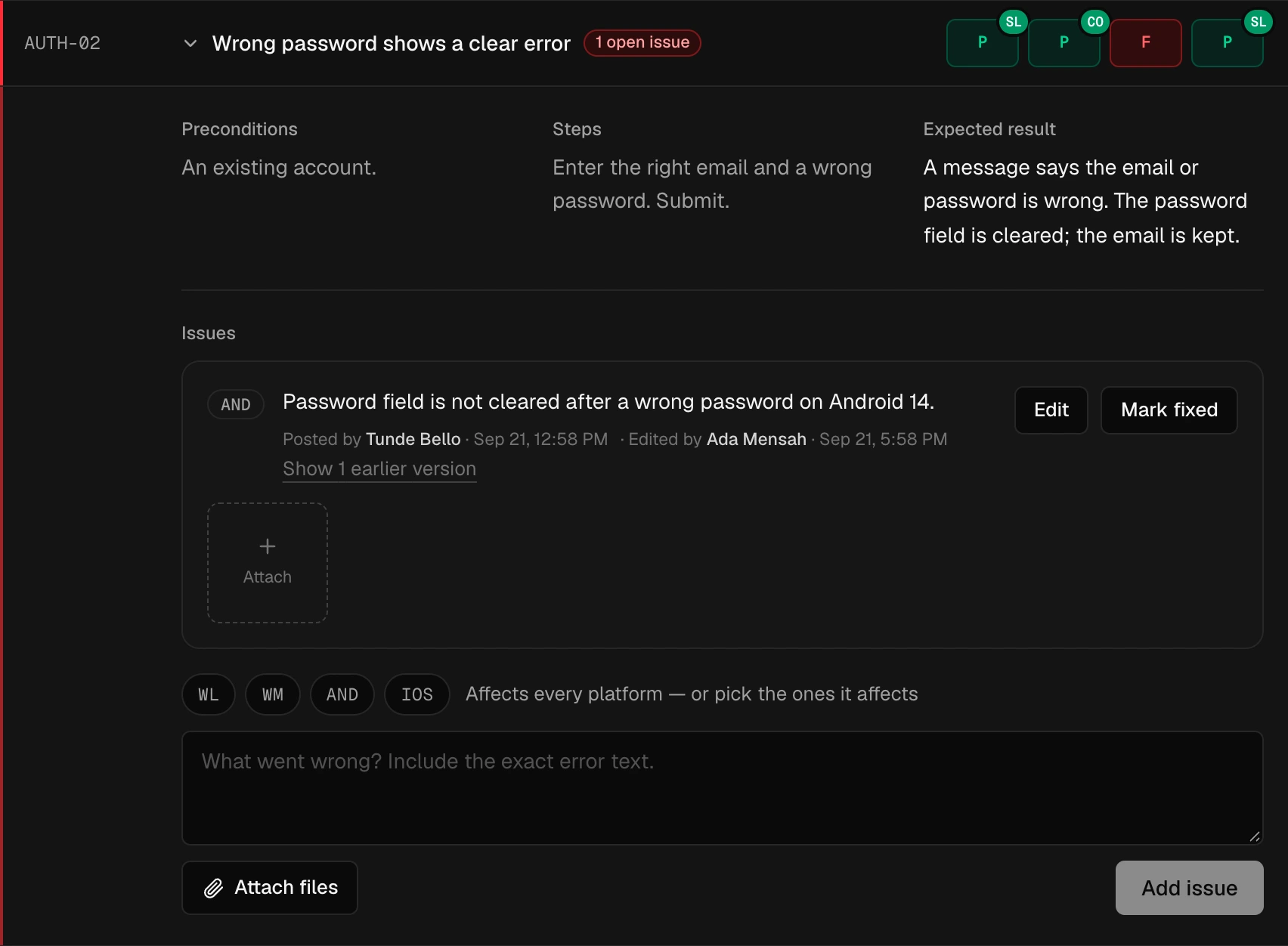
Issues stay with their checks
A tester's issue lands on the check that found it, with the platforms it affects and any screenshots or recordings. That's what your assistant reads when you ask it what's broken.
Free to start.Flat pricing for teams.
The MCP connection and both skills are on every plan. Paid plans raise the limits and add the REST API, at one price per workspace — never per seat.
The full breakdown and its FAQ are on the pricing page.
For one person or a small team trying qarunbook on a real release.
- 2 apps
- Up to 5 members
- 2 GB of screenshots and recordings
- MCP connection and both AI skills
- Roles, join links and the retest flow
For a team testing several apps every release.
- 15 apps
- Up to 15 members
- 50 GB of screenshots and recordings
- MCP connection and both AI skills
- Roles, join links and the retest flow
- API access
For QA across a whole portfolio of apps and clients.
- Unlimited apps
- Up to 50 members
- 250 GB of screenshots and recordings
- MCP connection and both AI skills
- Roles, join links and the retest flow
- API access
Unlimited everything, invoiced, with terms that suit your procurement.
- Unlimited apps and members
- Unlimited storage
- MCP connection and both AI skills
- Invoiced billing
- Talk to us at hello@qarunbook.com
- API access
Prices in USD, before tax. Tax is added only where we’re registered to collect it. Cancel anytime.
Questions,answered.
The API docs and the Claude Code skill guide go further. Building apps for clients? See qarunbook for agencies.
Does qarunbook run my tests?
Which assistants work with it?
Can the AI mark its own fix as passed?
What can an assistant do with a viewer's token?
Is it free?
Is there an API as well?
Let your AI write the plan.Keep a person on the last check.
Create a workspace, connect your assistant, and run /test-checklist on your app.
Free plan available — no card required.
Works with your AI and every platform you ship to